Precise timeline
Trim, split, reorder and layer clips without leaving your flow.
 mixtapeGet the app
The story is already in your camera roll
Cut the birthdays, road trips, late nights and ordinary Tuesday clips into something that feels like yours. Or just tell Mixtape what you want.

Mixtape does not try to turn your phone into a cramped desktop. The editor is designed around your hands, your footage and the simple feeling of finding the right cut.
Trim, split, reorder and layer clips without leaving your flow.
Shape the pace with keyframes and speed, then grade with precise controls and live colour scopes.
Record voiceover, extract audio, add music and tune every fade.
3D lettering, glitch, echo and wave effects. Rotate it right on the preview, or tuck it behind a person.
Hold a moment, slow it down on the best part, play it backwards.
Lift a person off the background or key out a colour, then build the scene around them.
Shape every shot with tools made for touch. Nothing here chooses a style for you.
MixPilot looks at what’s on screen, makes the change with Mixtape’s own tools, and tells you exactly what it did. Change one word, one colour, one clip, without touching the rest.
Every change shows up before it’s applied, and one tap undoes it.
Real screen recording“Can you slomo here?” One sentence, and the slow motion is on the timeline.
Freeze 2 sec here and make it black and white
MixPilotI froze the frame at 1:50 for 2 seconds and made the frozen image black and white.
Freeze frame · 2.0s
Make the hello text blue
MixPilotI changed the “Hello” text to blue and kept its 3D look.
Change text · Colour #2F6BFF
Can you rotate this overlay to 120 degrees
MixPilotI rotated the overlay 120° clockwise.
Set rotation · 120
The edges still have green spill
MixPilotI strengthened the green-screen key so the edges come out clean.
Remove green screen · 75%
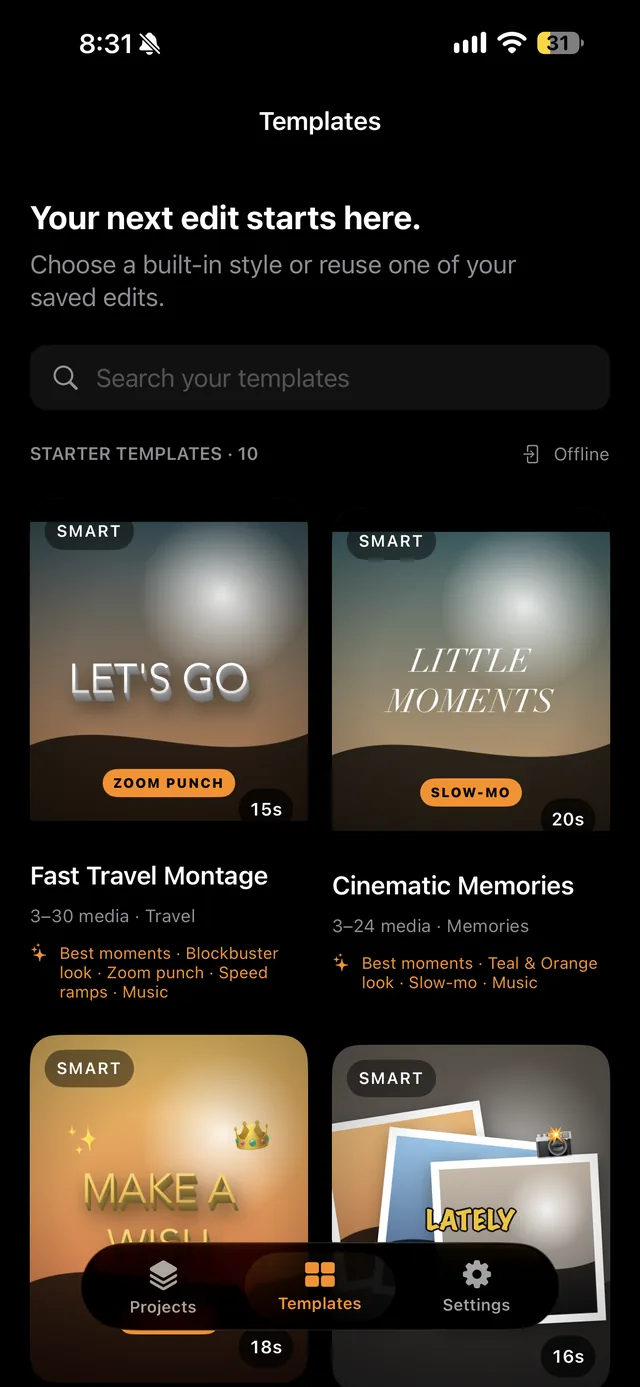
Each one looks through your clips, keeps the best moment of every shot, and skips the shaky bits. Then it adds its own look, title, music and one big moment, and tells you what it did.
What matters here
Local by default. Your projects and media stay on your device.
No forced formula. Start from scratch, from a template, or from your own saved style. Whatever MixPilot or a template makes, you can still change by hand.
One editor, more screens. Mixtape begins on iPhone and iPad. Android and Mac are part of where it goes next.
Right now, yes. Every feature is free and exports have no watermark. Later, Mixtape will have a free version with some limits and a watermark on exports, and Mixtape Pro with everything. MixPilot and Auto Edit come with a daily allowance of edits.
You can start editing straight away. Mixtape asks you to sign in with Apple or Google when you export.
No. Your projects and video files stay on your phone. When you ask MixPilot something, it sends your words, a description of your timeline and a few still frames so it can see what you mean.
Always. They use the same tools you do, so every cut, title and effect stays on the timeline for you to adjust or undo.
Yes. Mixtape runs on iPhone and iPad, and the editor makes use of the bigger screen.
Android is being built now, and Mac comes after. One editor, more screens.